
Product Designer
One health app for the whole journey: from the first symptom, to the doctor, the check-ups and the pills. An AI companion helps make sense of symptoms, books and cancels appointments and keeps the reminders coming, with a Simple mode made for children and older patients.
See it live: the full prototype runs in your browser.
Open prototype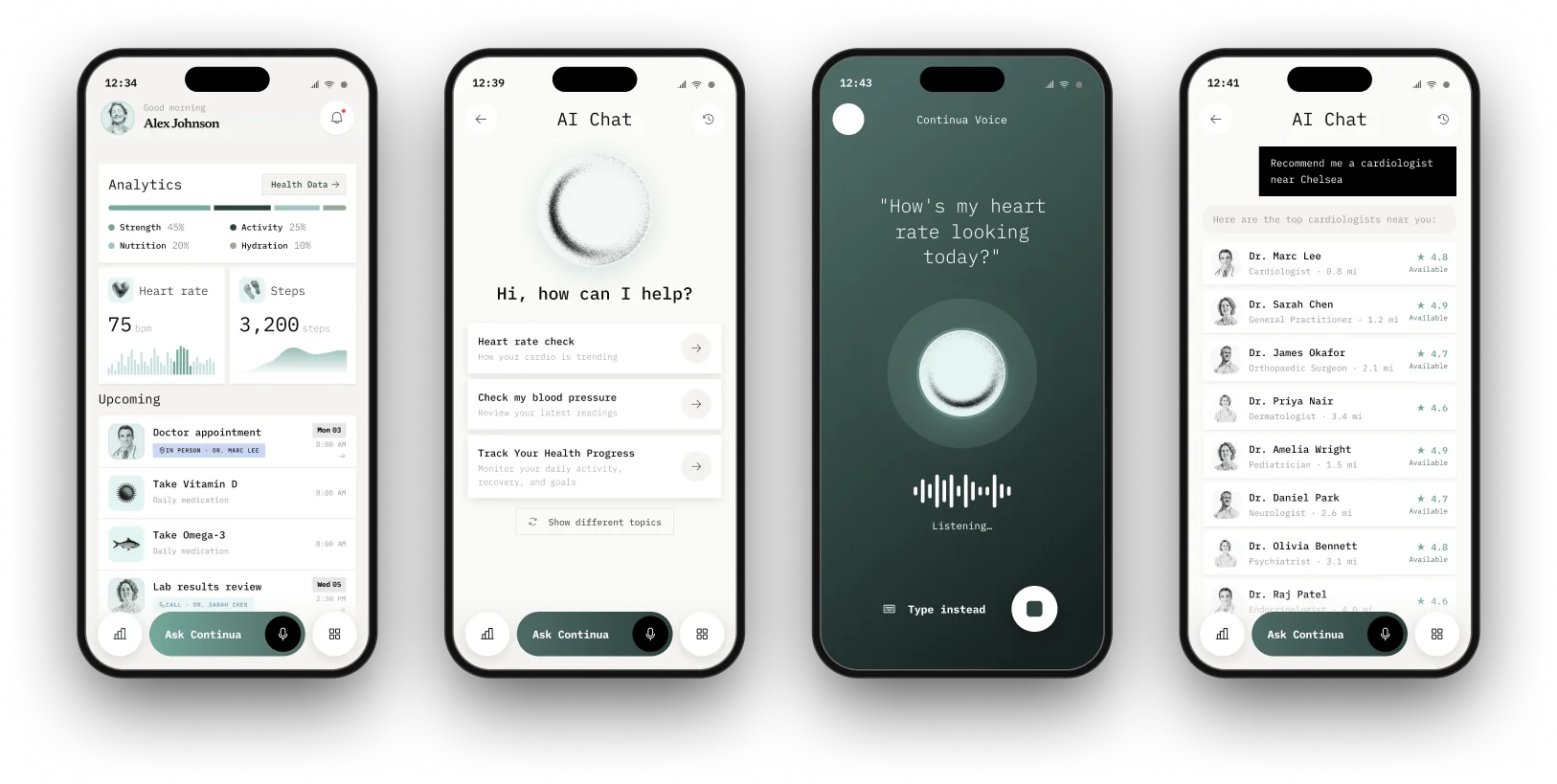
Most health apps feel disconnected from the patient and from the whole purpose. They fail to close the circle: from the moment a symptom appears, every step is separate, with no follow-up, no recommendations and no smart features. There is a disconnect between the patient’s overall health stats, consultations, medicine intake and the check-ups afterwards.
Continua fills in those gaps with one common thread to follow along the path. From the first symptoms, to in-person or online check-ups, to medical supplies and regular check-ins, the app closes the full loop of healthcare for elderly, young and tech-savvy patients alike.
It’s simple, yet powerful enough to manage everything in a single ecosystem, without logging into external systems or finishing steps somewhere else. It sends reminders about consultations and medication, and when it matters, it can trigger a call to an ambulance or a contact person.
The Continua companion stays with you the whole way: it helps read your symptoms, suggests the right doctor, books the appointment (and cancels it if plans change), and follows up on the treatment afterwards.
Twenty names across five families, each one a different way of saying “the thread that holds your care together”. Continua won: a Latin root that implies ongoing care without interruption.
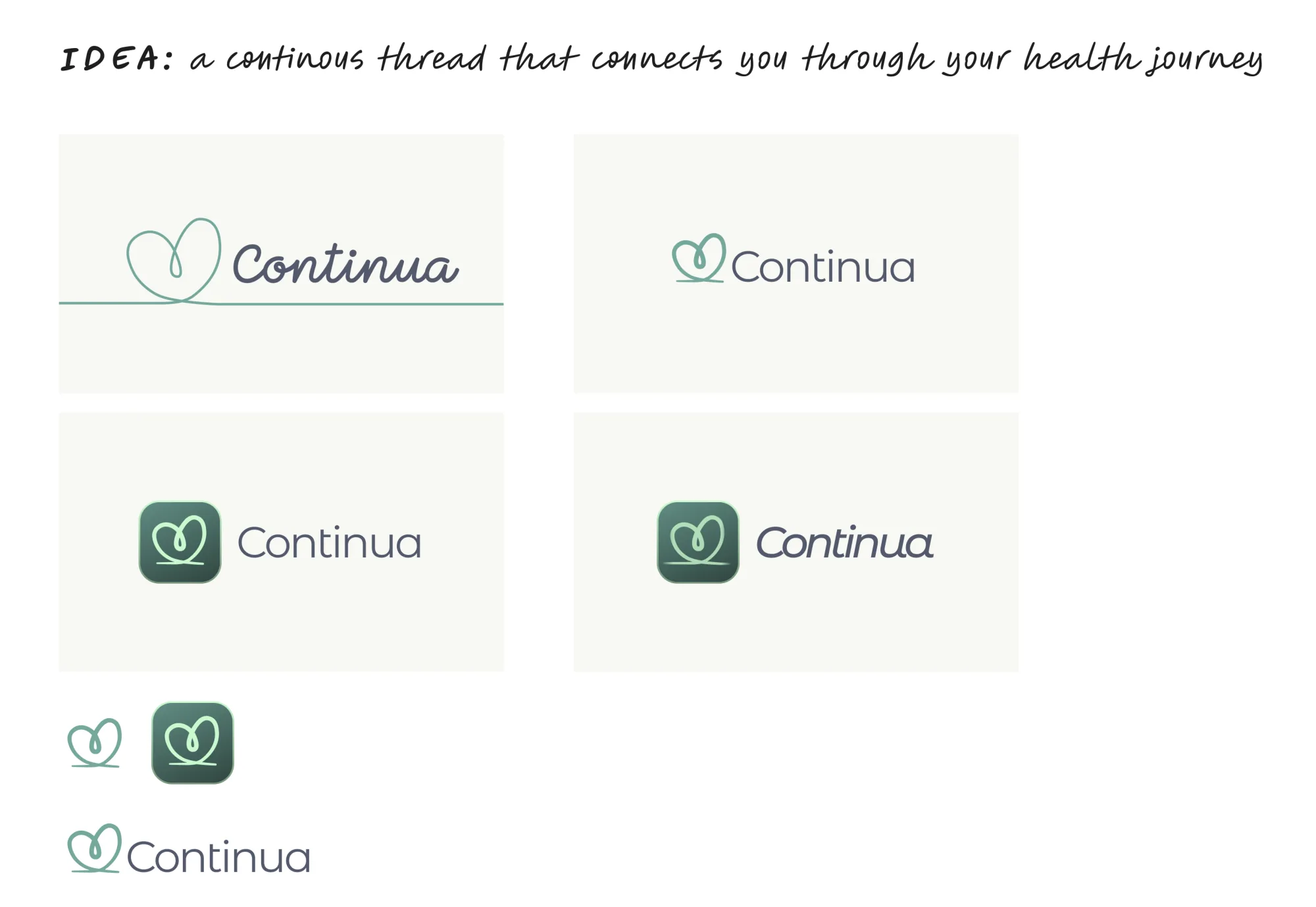
The first idea was a continuous thread that connects you through your health journey, drawn as a single line that loops into a heart.
The second, and the one that stayed, is a circle: continuation, something cyclical. Grainy and hand-made rather than clean, so it feels more natural and more human.
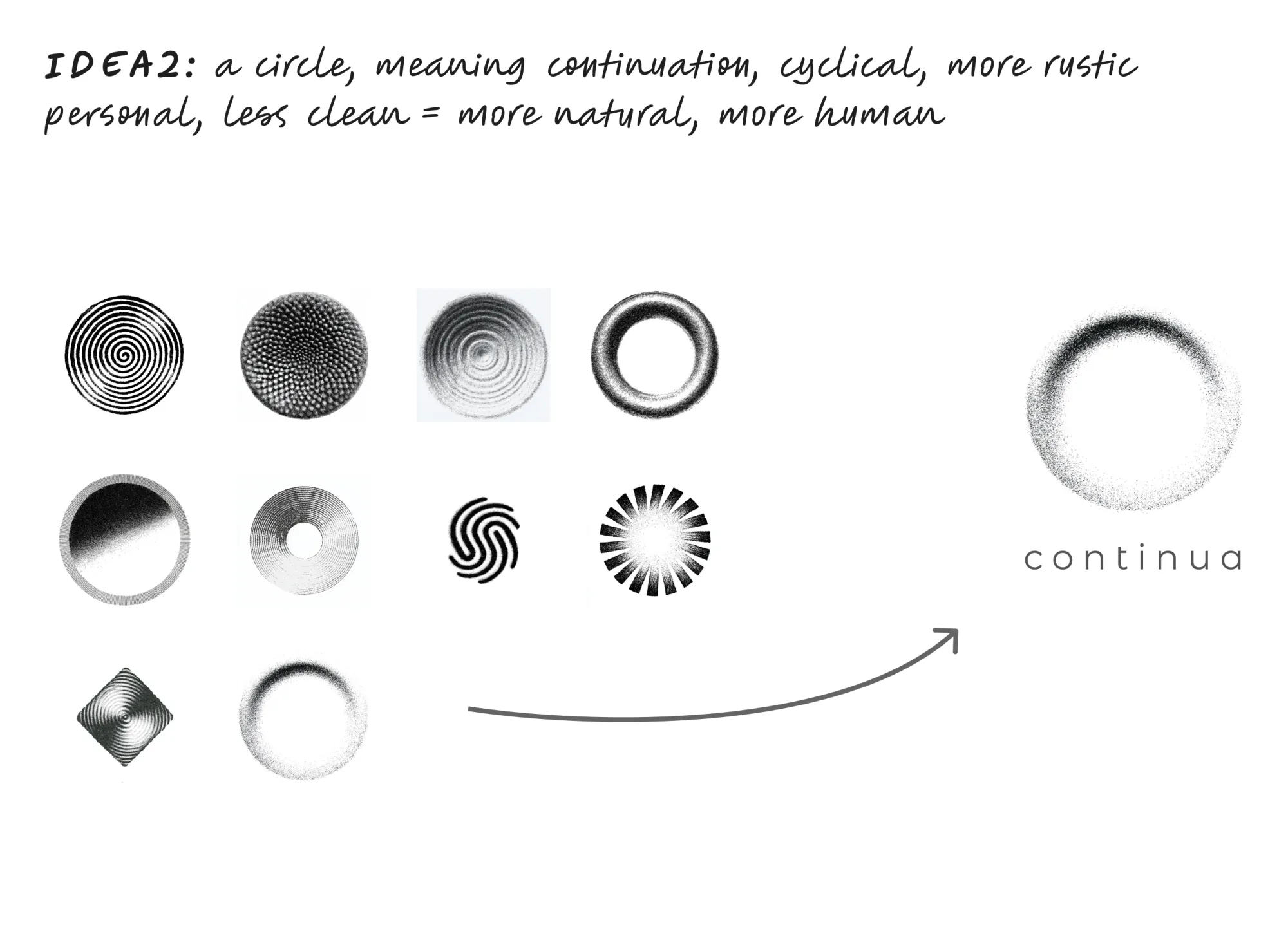
The final mark: a grainy circle above a widely spaced, lowercase wordmark. The palette stays calm, with sage greens, warm neutrals and soft grays, and every shade is checked for contrast against WCAG AA and AAA.
The imagery is engraved, halftone black and white: doctors, hearts, pills and people with their eyes closed and smiling. It’s one consistent, warm style that never looks clinical.

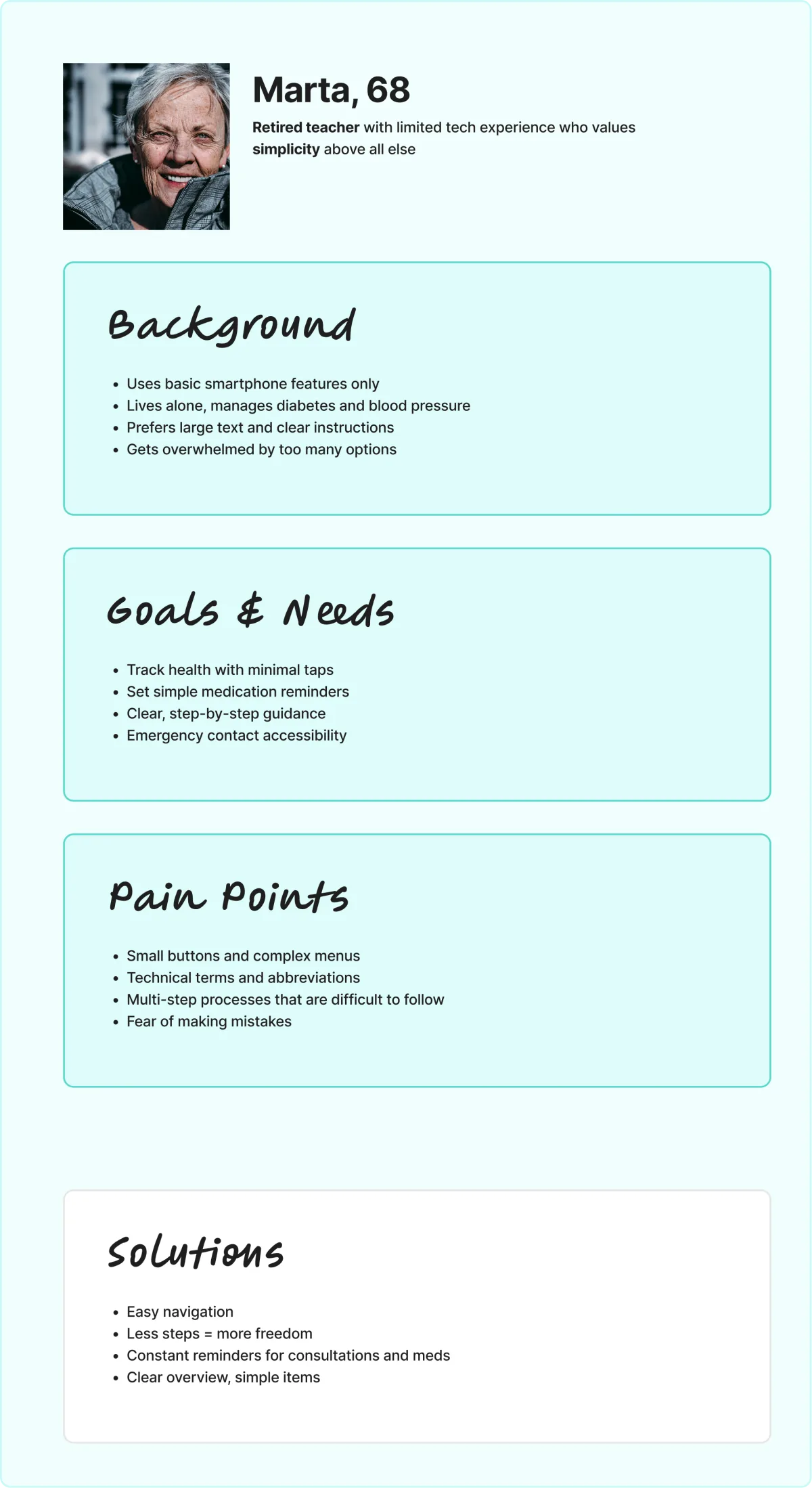
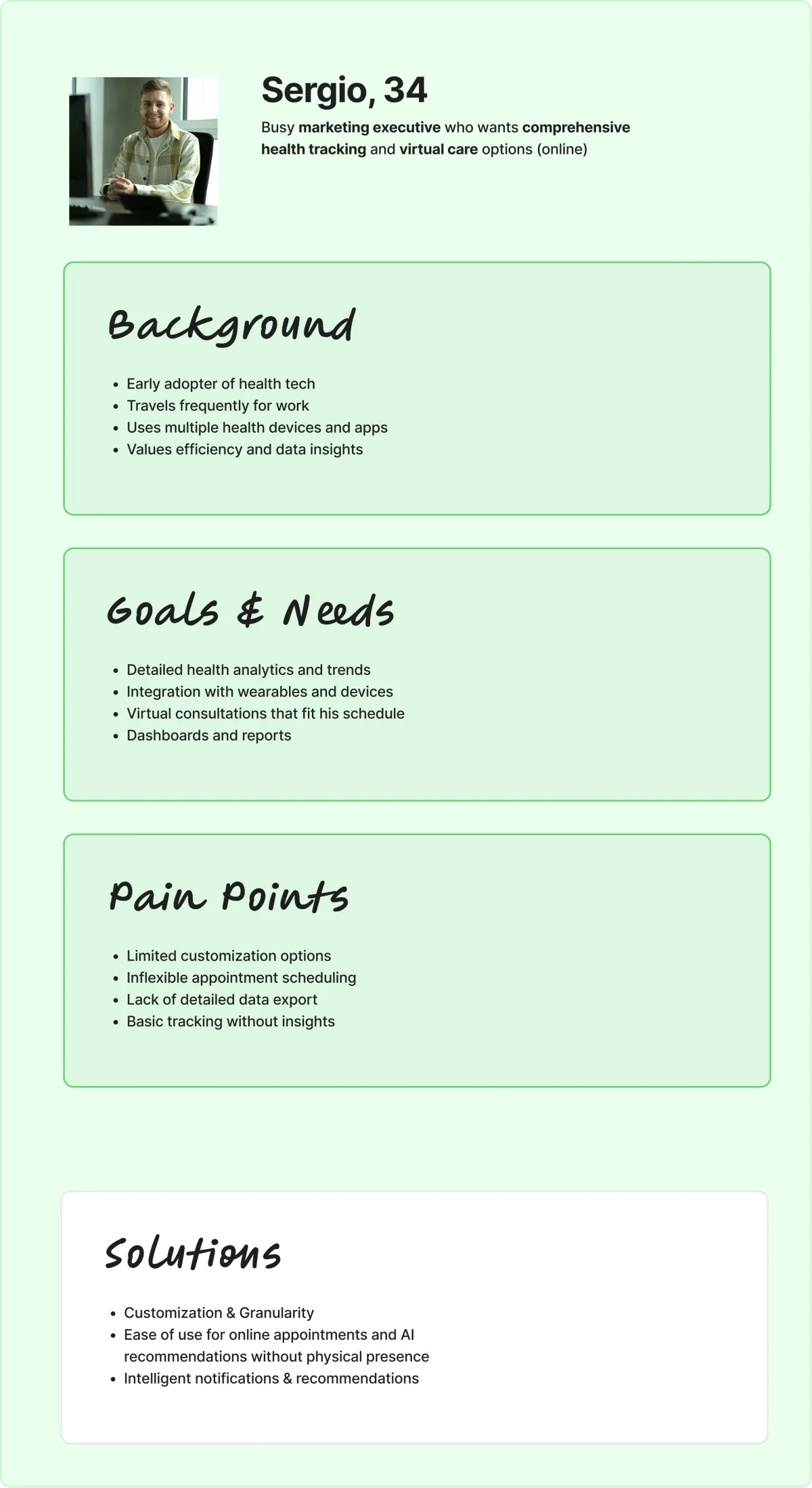
Three people, three very different needs, one app. Marta, 68, a retired teacher, lives alone with diabetes and high blood pressure. She wants big text, few taps and nothing she could get wrong. Sergio, 34, is a marketing executive who travels for work. He wants detailed data, wearables and virtual consultations that fit his schedule.
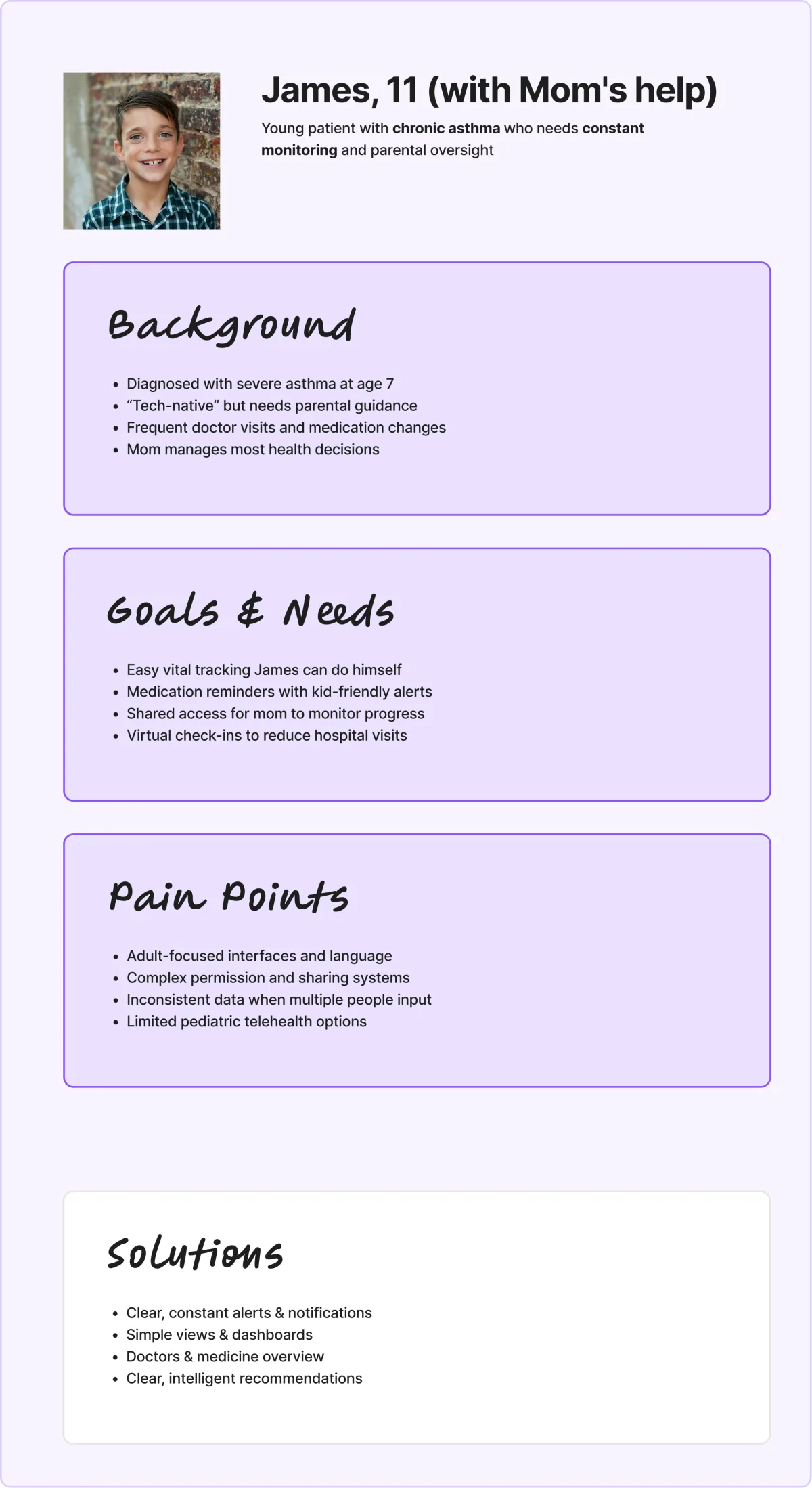
James, 11, has chronic asthma, and his mom manages most of his care. He needs kid-friendly reminders and vitals he can log himself; she needs shared access to keep an eye on his progress.
Designing for all three at once shaped the app: Simple mode and constant reminders for Marta, granular settings and AI recommendations for Sergio, clear alerts and simple dashboards for James and his mom.
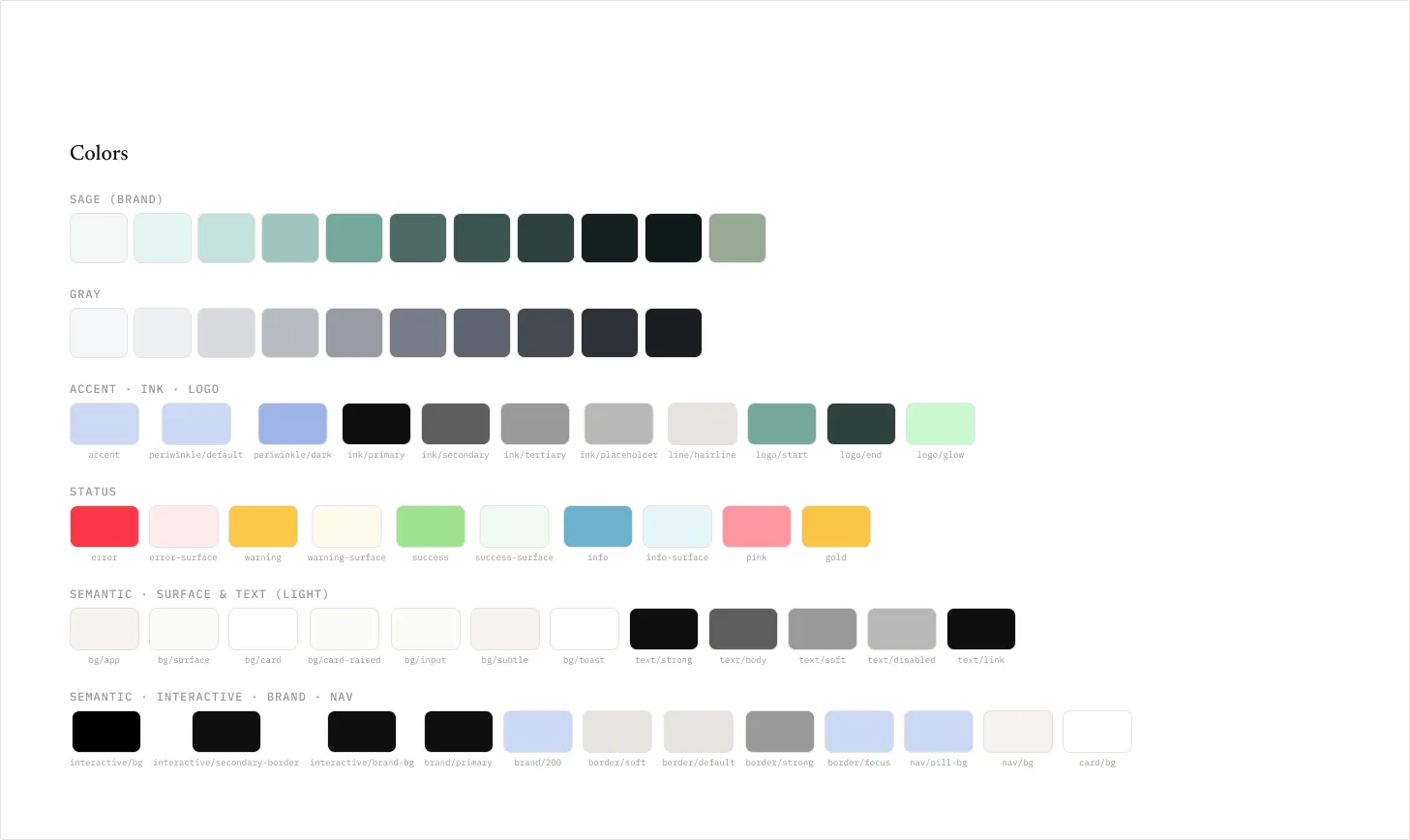
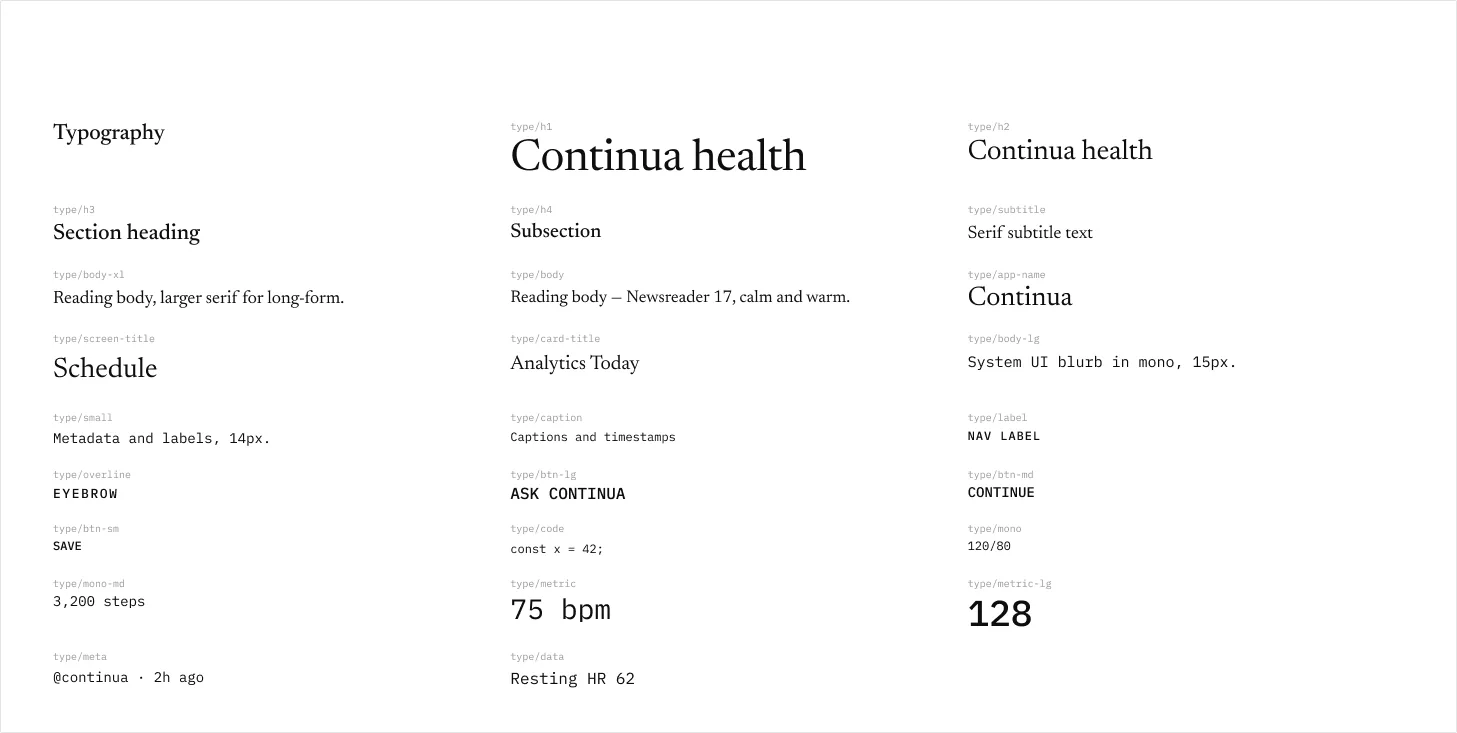
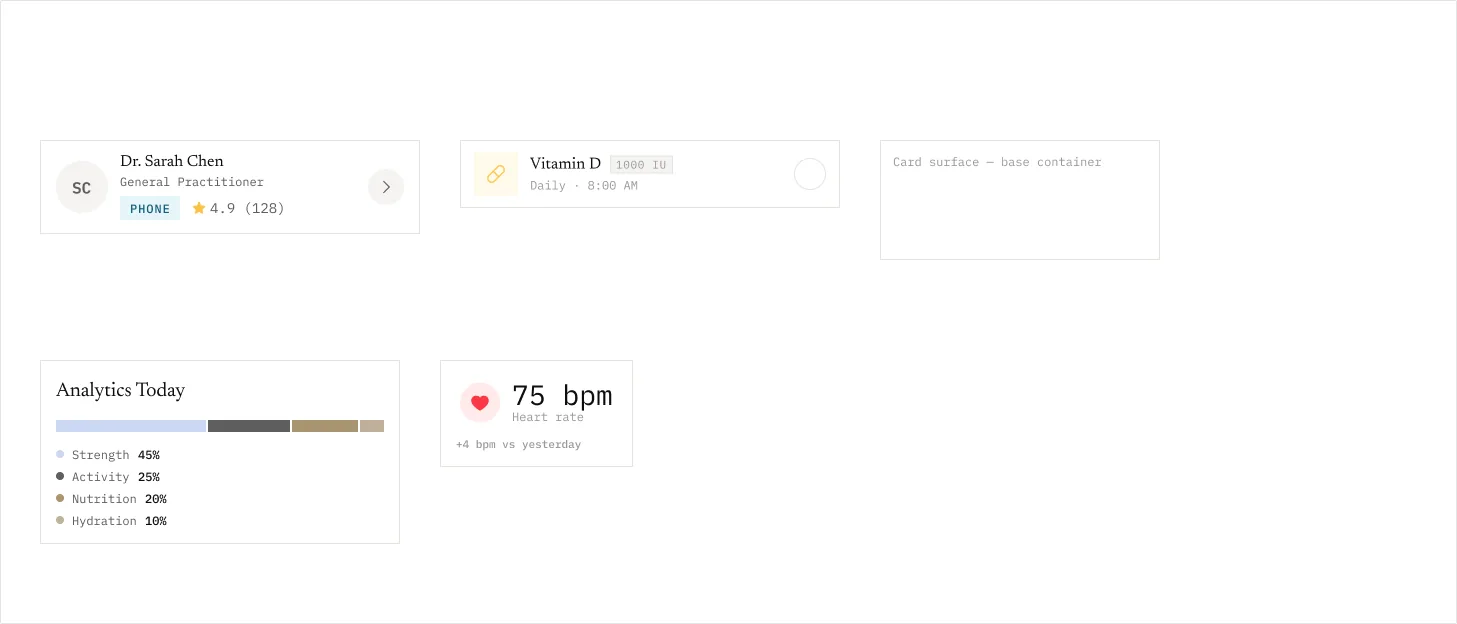
Built from the ground up with atomic design. Foundations hold the tokens: the sage brand scale, grays, accents, status colours, and semantic surface, text and interactive roles. The typography pairs Newsreader, a calm and warm serif for headings and long reading, with a monospace for system UI, labels and metrics.
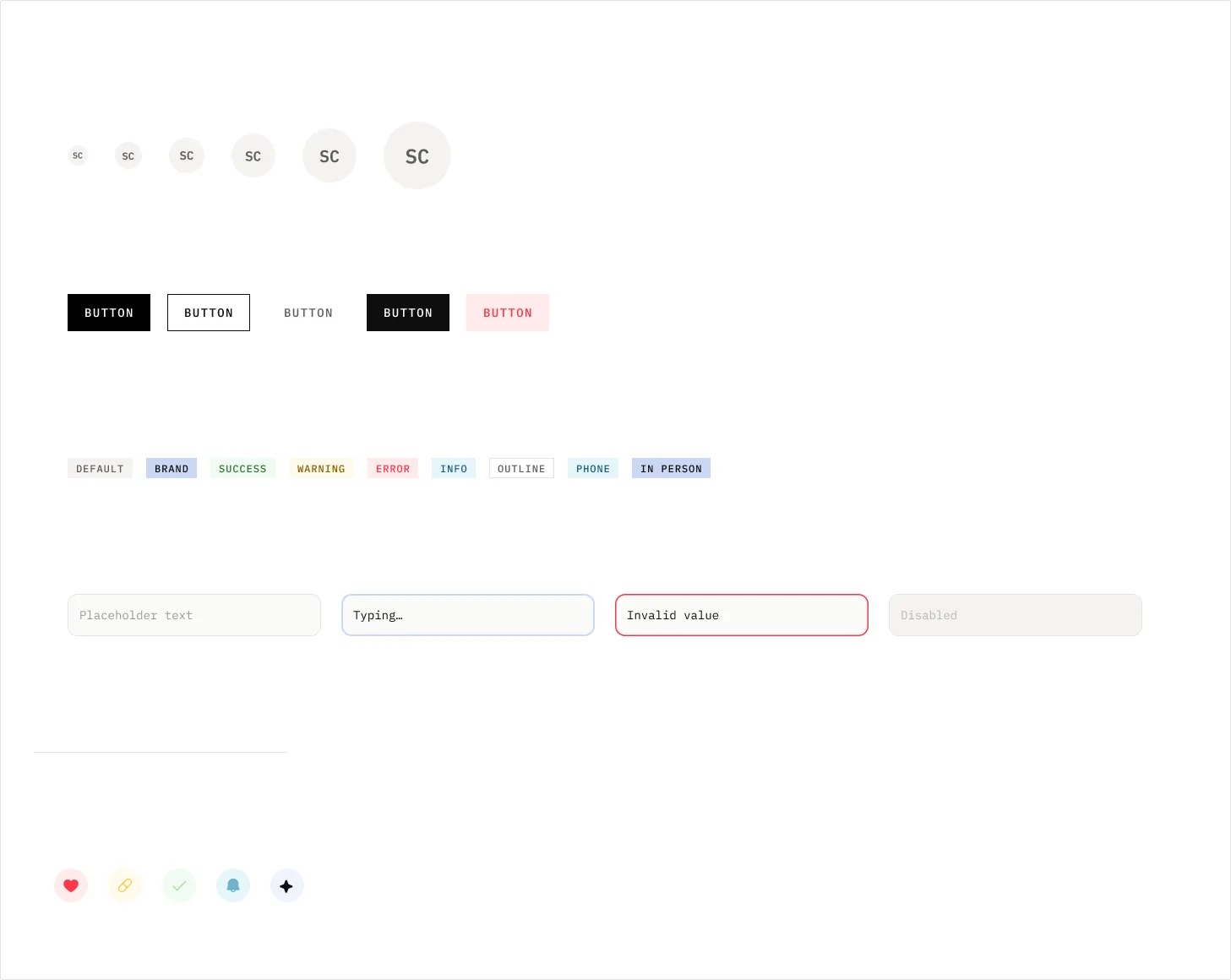
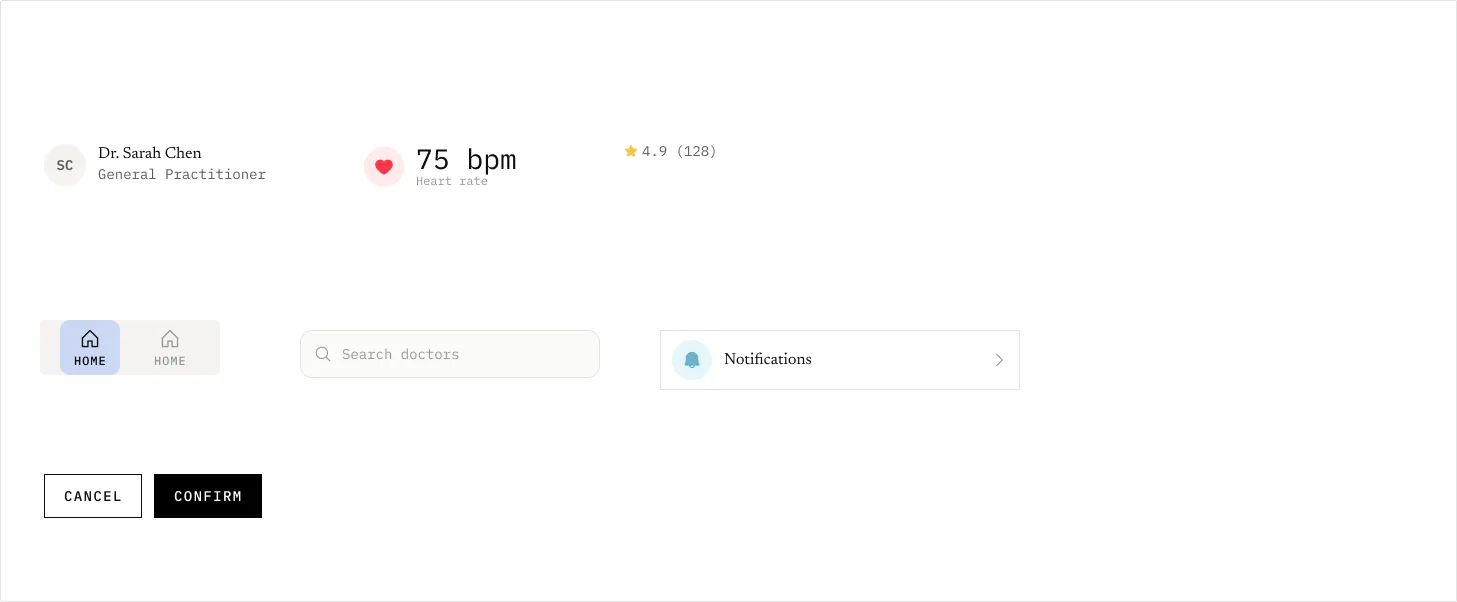
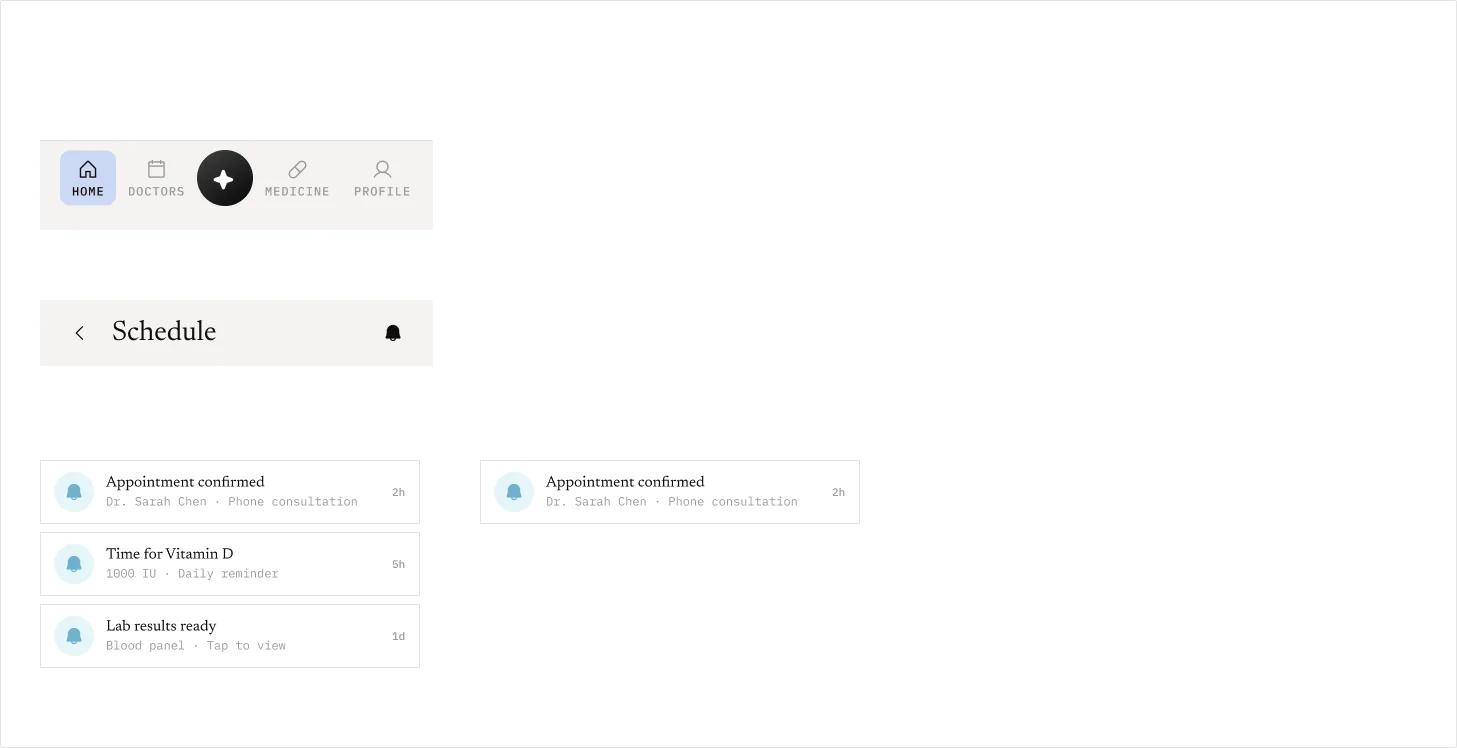
Atoms (avatars, buttons, badges, inputs and icons) build into molecules such as doctor rows, metric chips and search, then into organisms like doctor cards, medicine rows and analytics, and finally the layout pieces: the tab bar with its Ask Continua button, headers and notification lists.
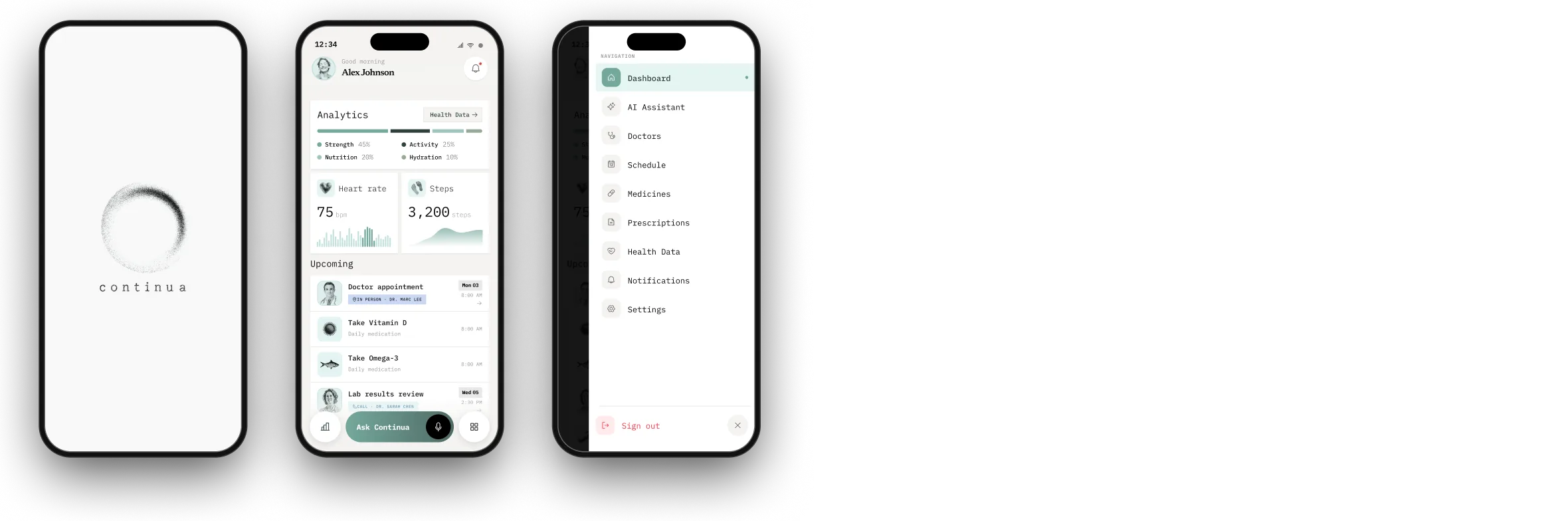
The day at a glance: analytics, heart rate and steps, then what’s coming up next, from appointments to today’s vitamins. Everything else is one swipe away in the side menu.
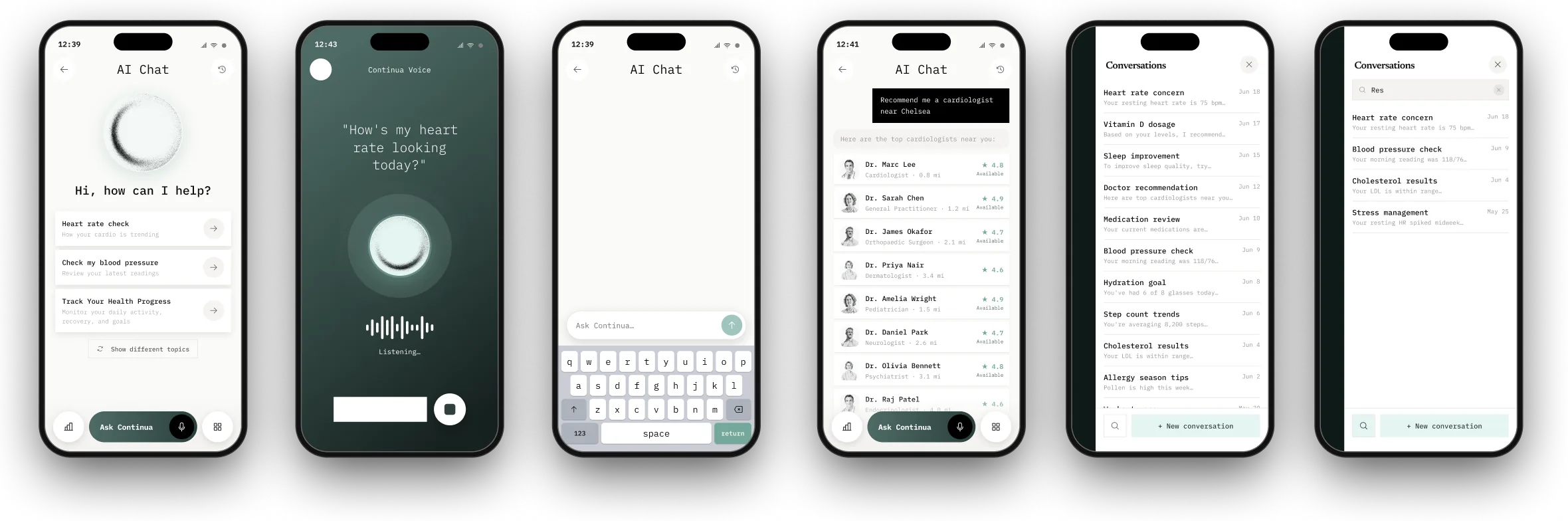
The Continua companion. Pick a suggested topic, type, or just ask out loud: “How’s my heart rate looking today?” It recommends doctors nearby, and every conversation is saved and searchable.
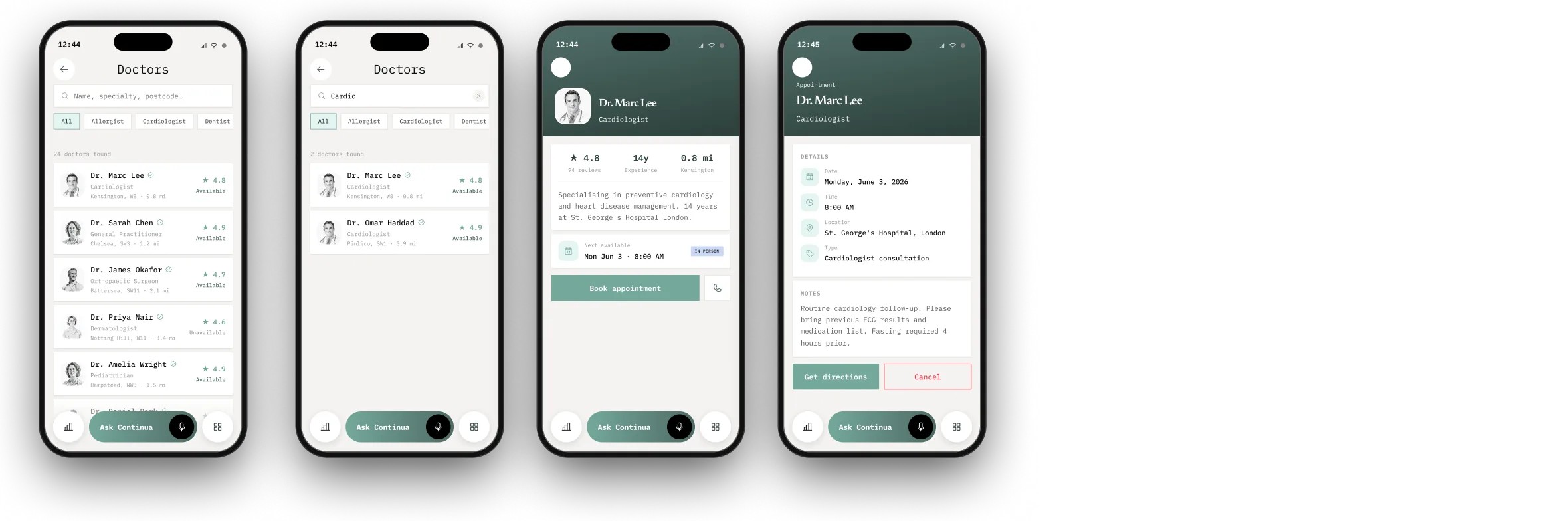
Search and filter by speciality, check ratings and availability, and book straight from the profile. Every appointment has its details, directions, and a cancel button for when plans change.
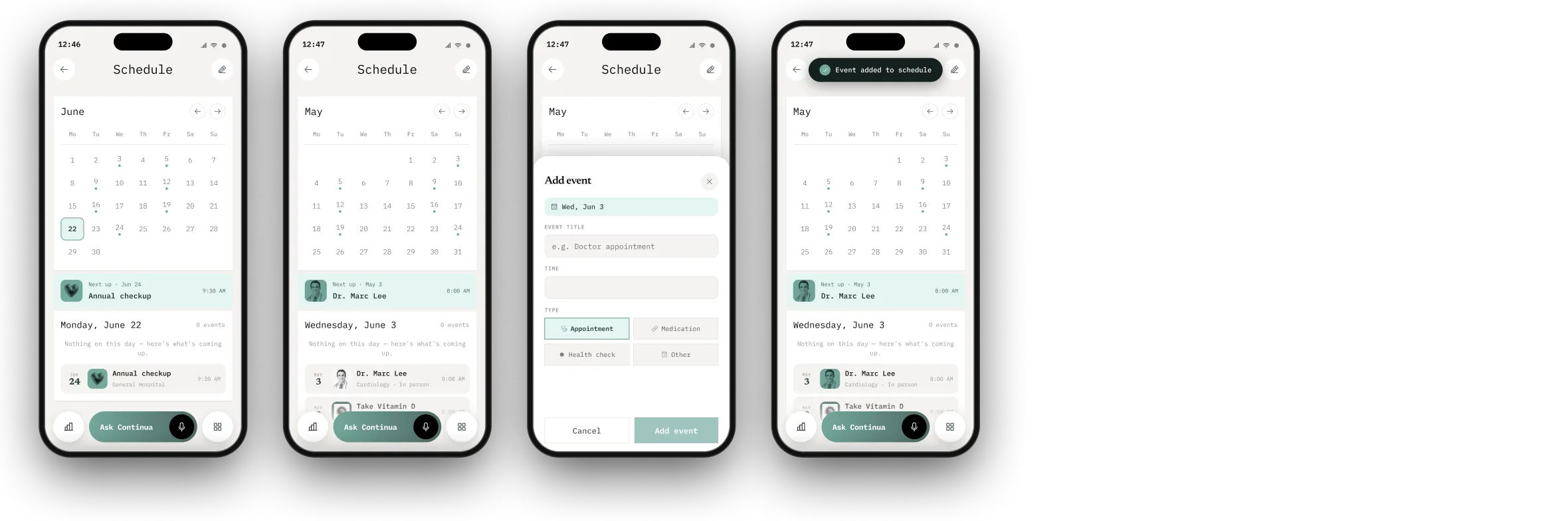
One calendar for appointments, medication and health checks, with adding an event taking a few taps.
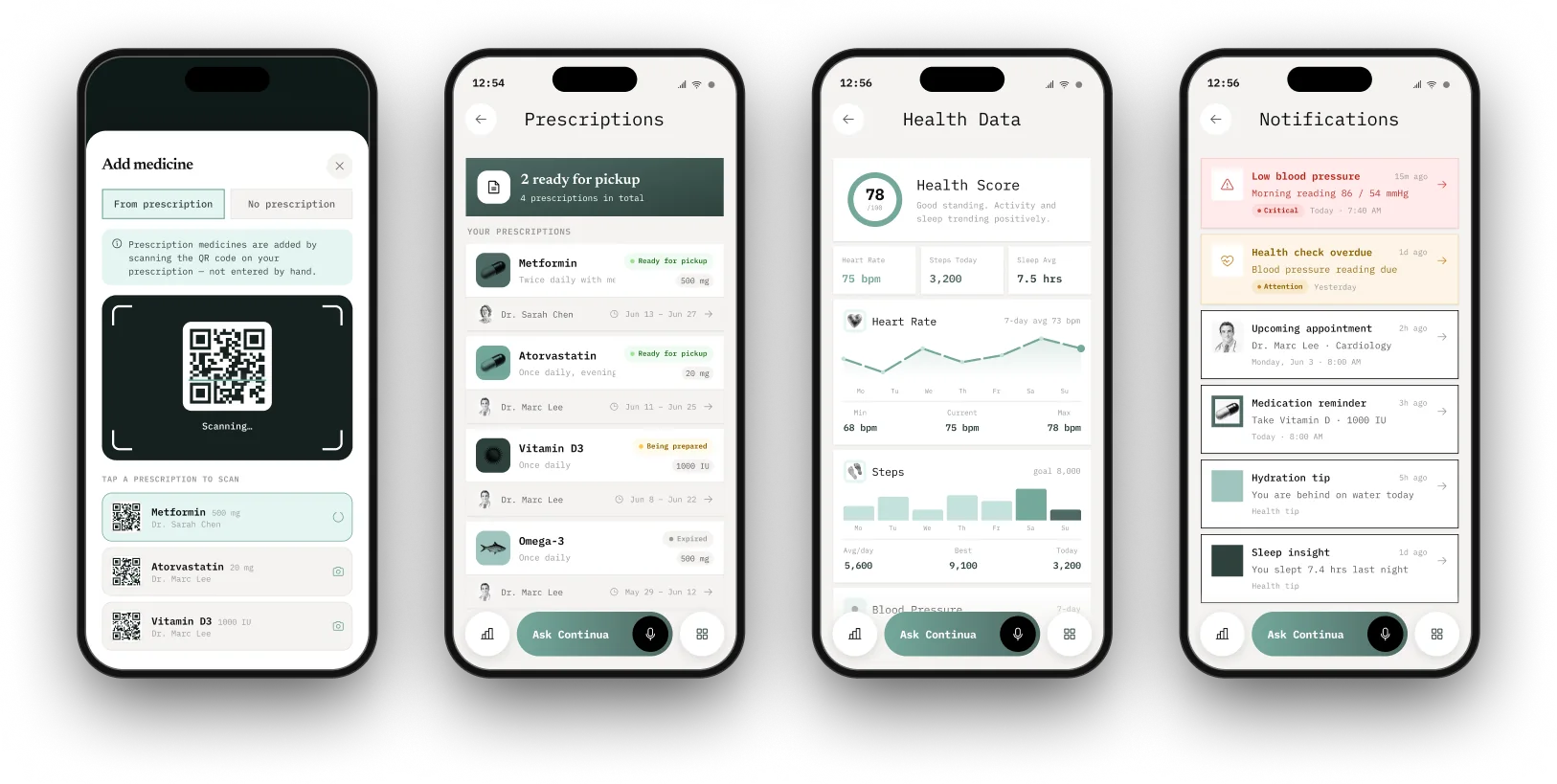
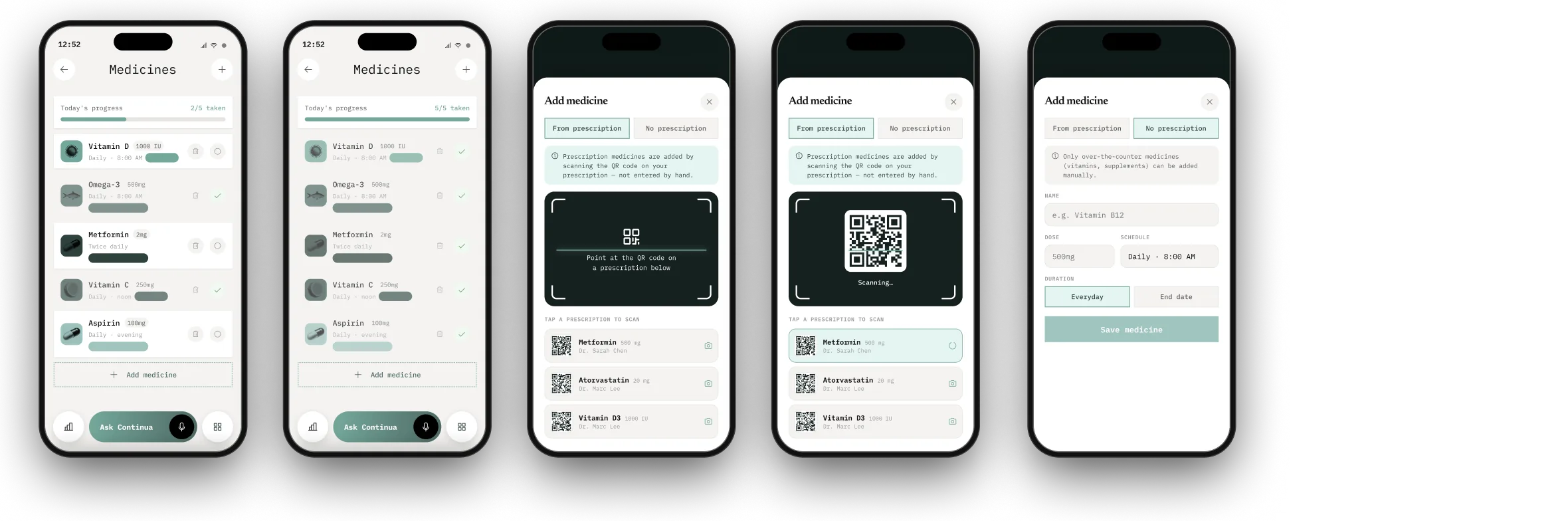
Today’s doses with a progress bar to tick through. Add a medicine by scanning the prescription’s QR code, or type it in with its dose, frequency and time.
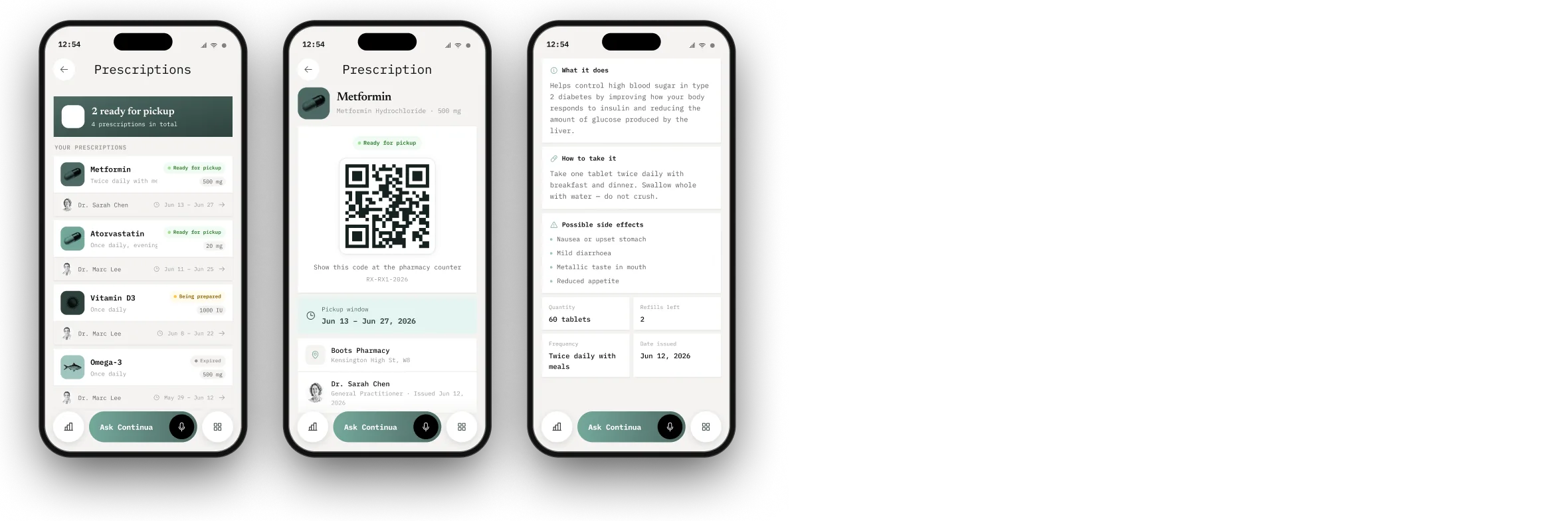
What’s ready for pickup, a QR code to show at the pharmacy, and the pickup window, all in plain language: what the medicine does, how to take it and what side effects to watch for.
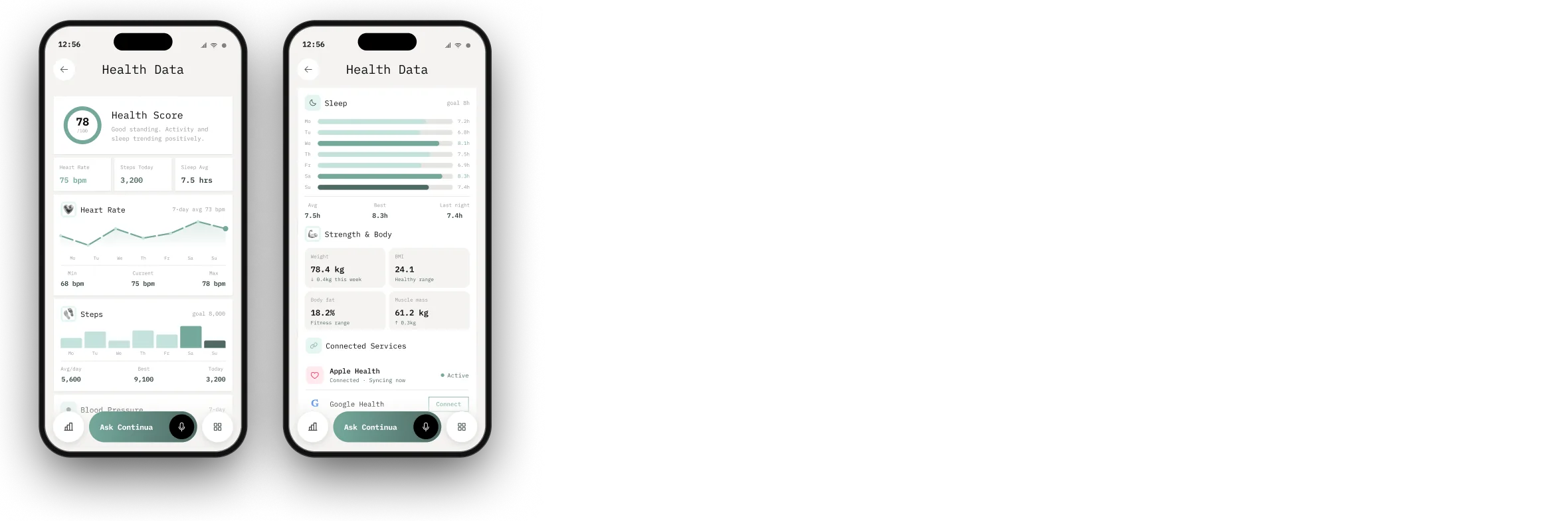
A single health score, with heart rate, steps, sleep and body composition underneath. Apple Health and Google Health connect in, so nothing has to be entered twice.
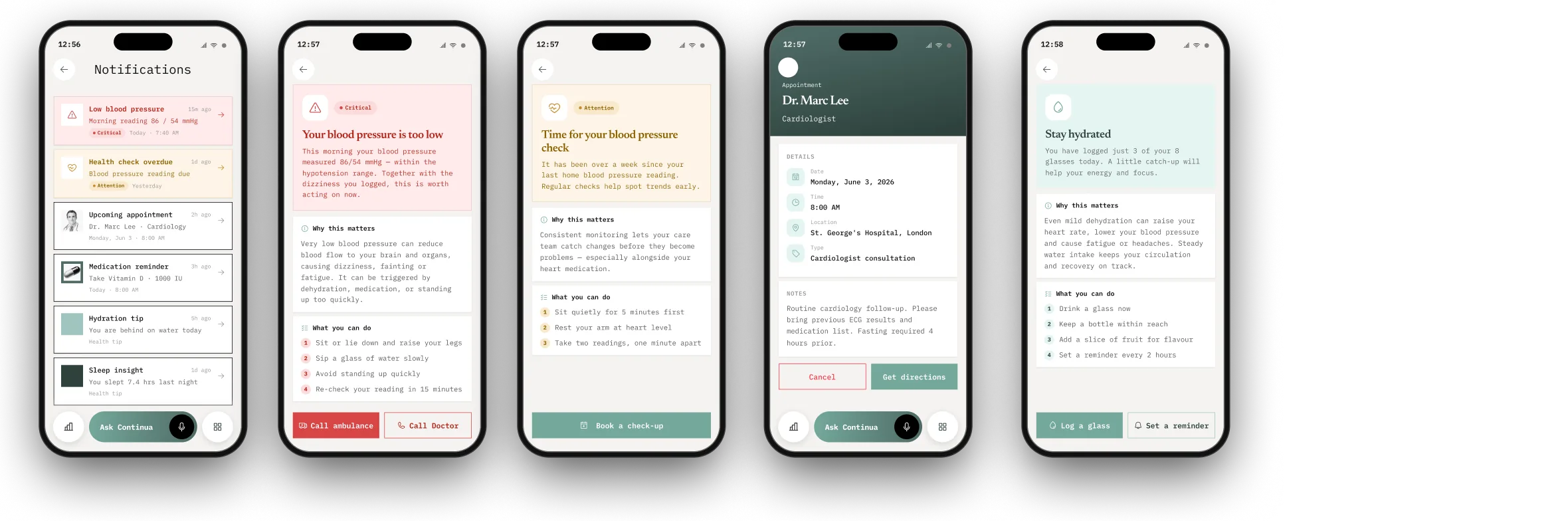
Reminders that lead somewhere. A low blood pressure alert offers to call an ambulance or your doctor; an overdue check-up books one; a hydration tip comes with a reminder to log a glass.
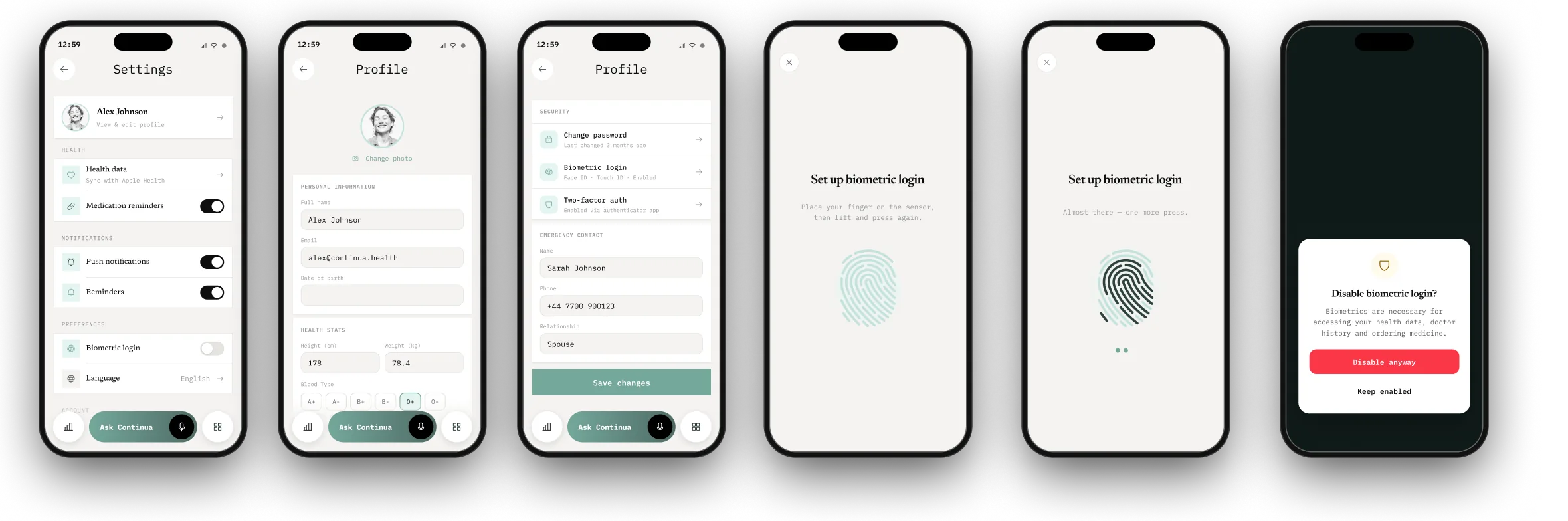
Profile, reminders and notifications in one place, plus biometric login, which is just as easy to switch off again.
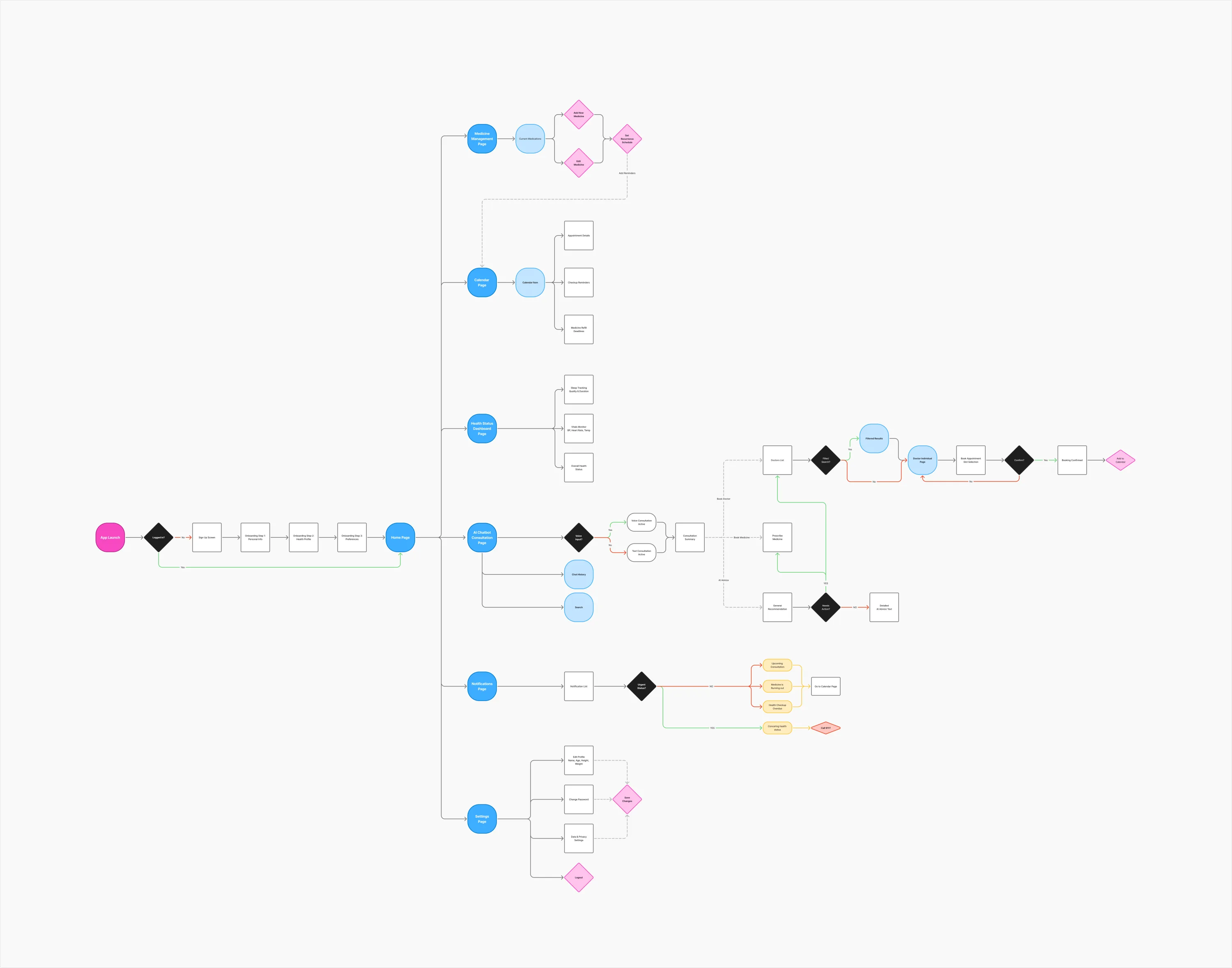
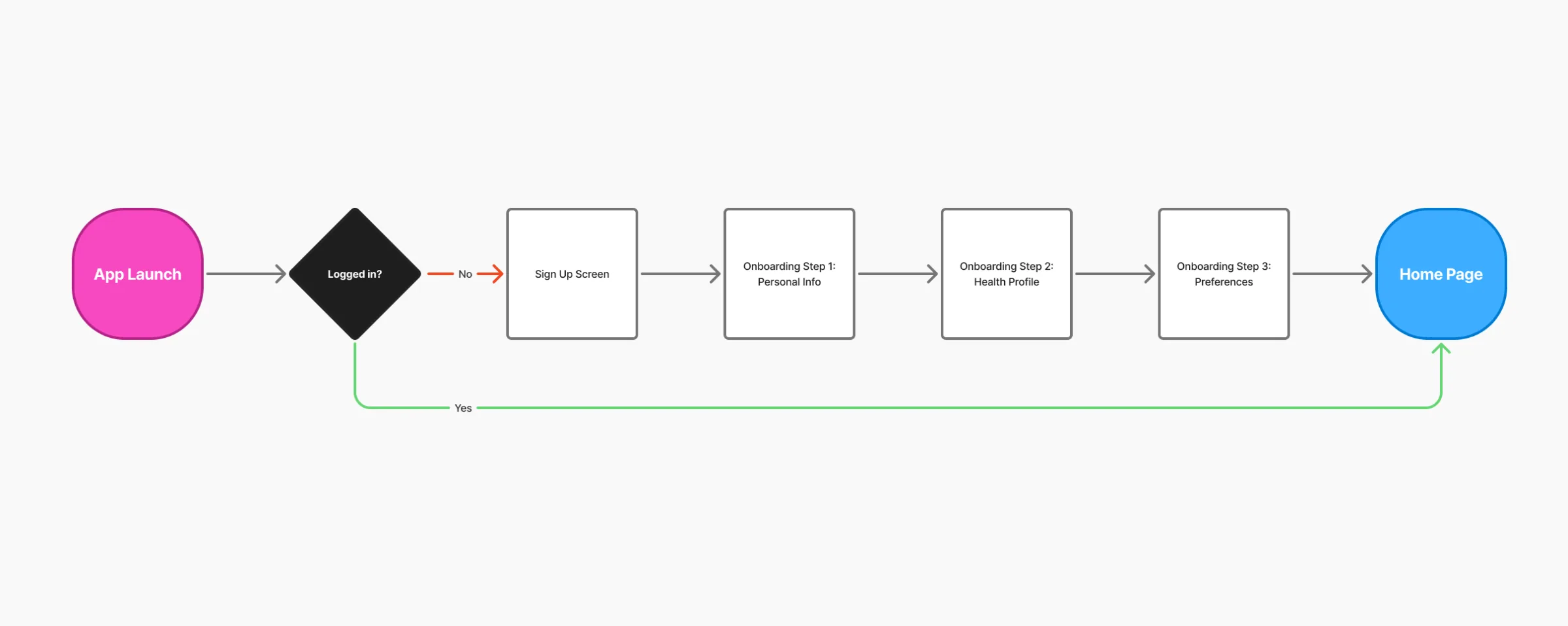
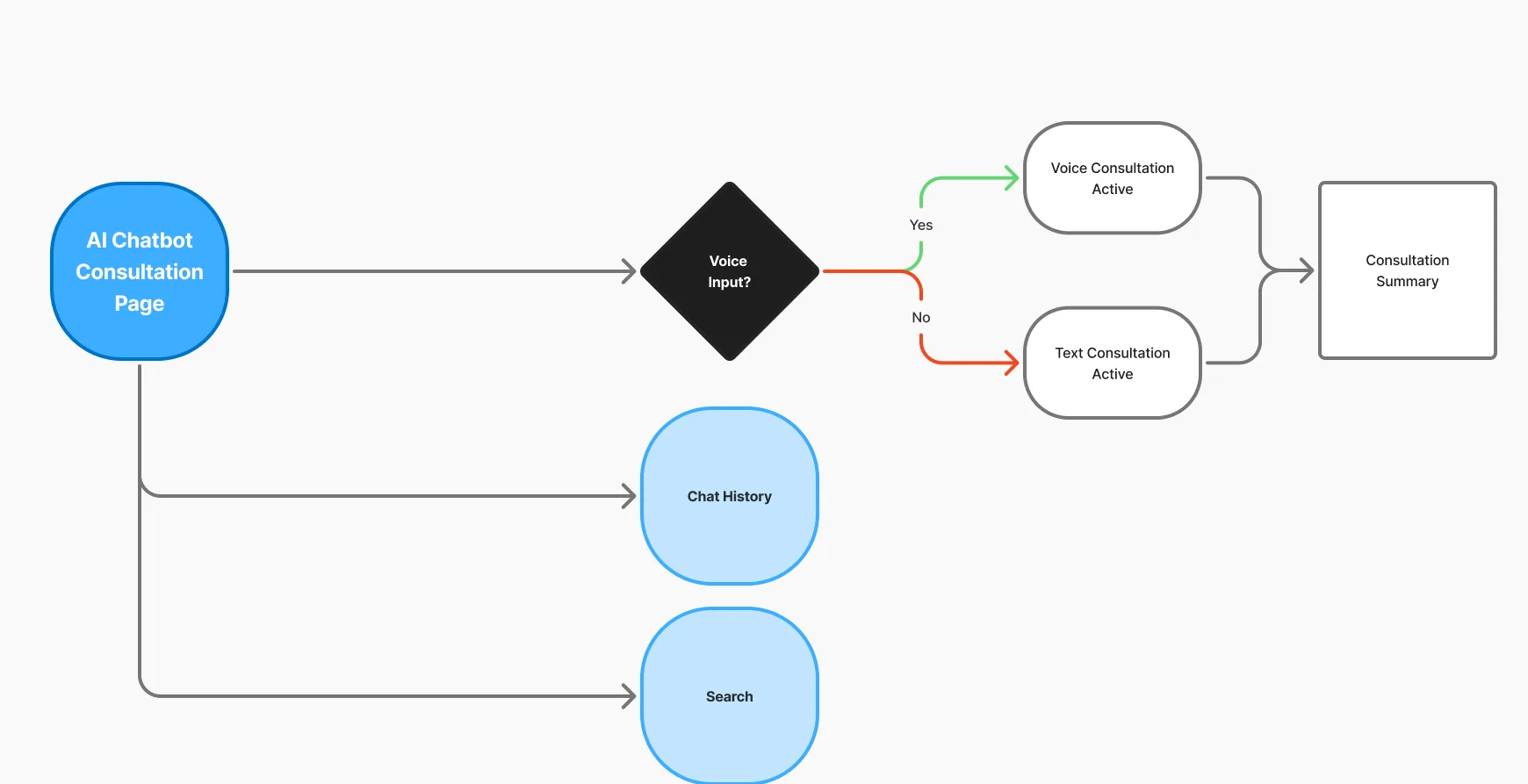
The full map first, then a close-up of each branch. Onboarding asks three short steps: personal info, health profile and preferences. Returning users go straight home. The AI consultation runs by voice or text and ends in a summary.
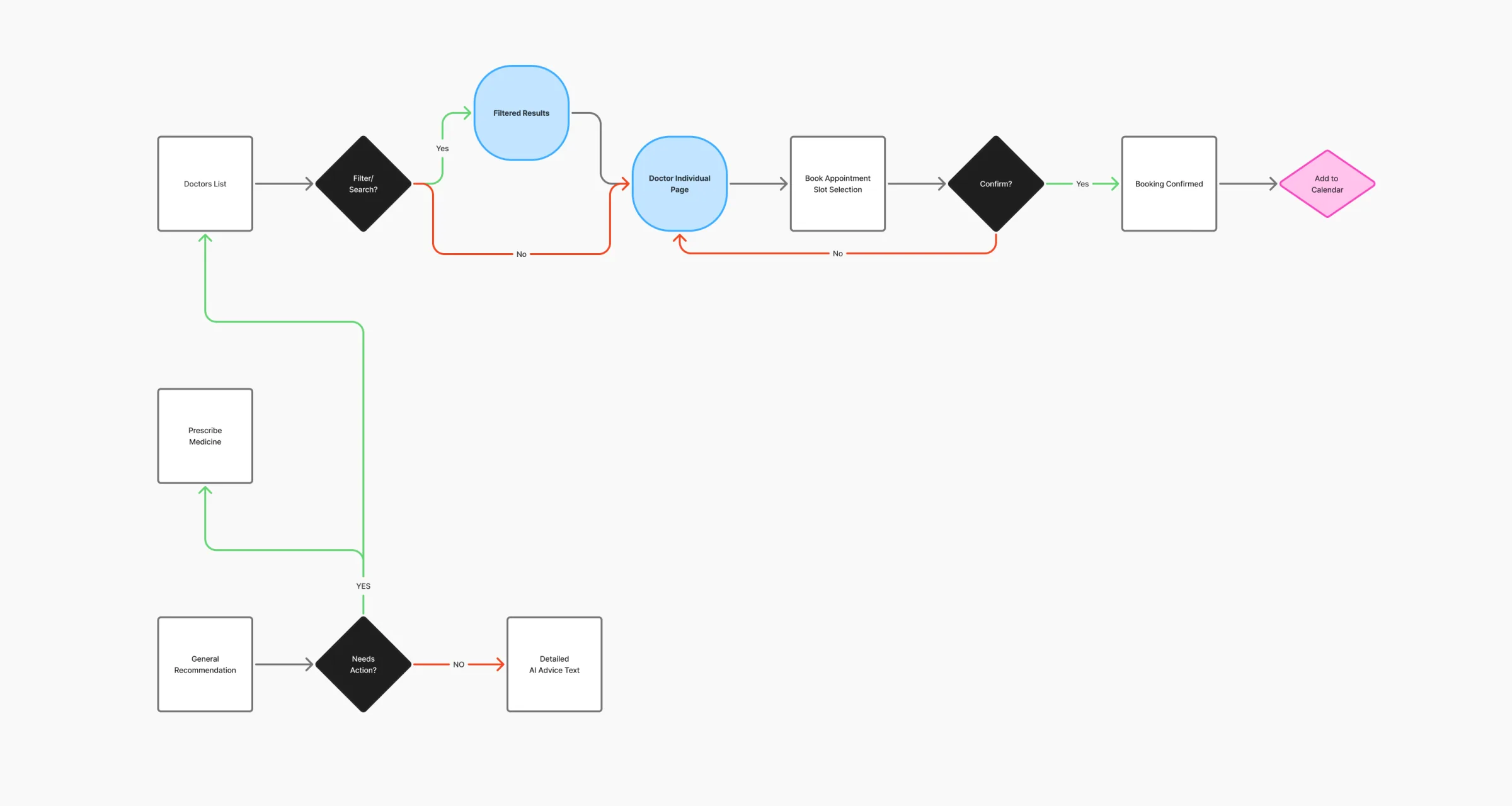
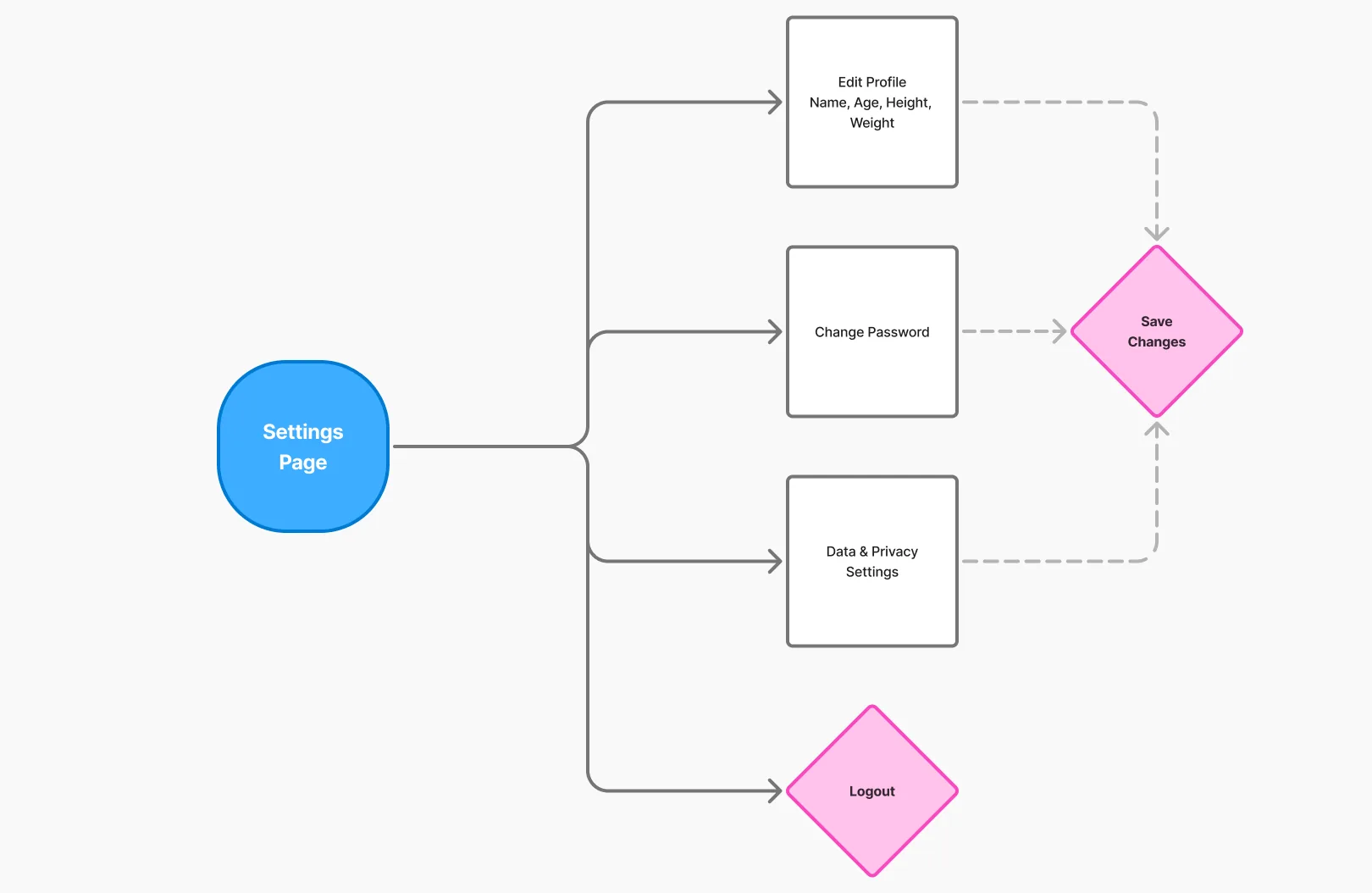
Booking goes from list or filter to the doctor’s page, a time slot, confirmation and the calendar, and an AI recommendation can lead to a prescription or a doctor. Notifications split urgent from routine, so a concerning reading can go straight to a 911 call. Settings keeps the profile, password and privacy in one save.

From the first symptom to the last pill. One thread, all the way through.